AWS re:Invent 2025 Recap
January 8, 2026 • 12 min read
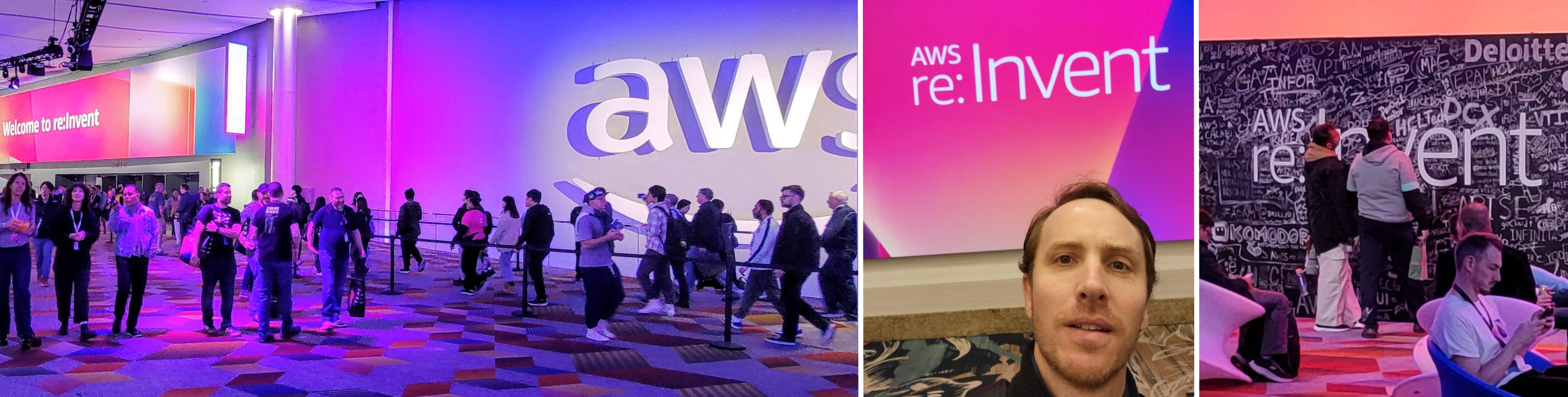
I was fortunate enough to attend AWS re:Invent in Las Vegas, Nevada this year. This was my third time attending, but it had been over 8 years since my last visit – and it was amazing to see how much has changed while somehow staying the same.
This post is a quick recap of some of the sessions I attended this year. It’s not meant to be a full summary of each session but instead a highlight reel of my key takeaways.
Building rate-limited solutions on AWS (API307-R - Chalk Talk)
Does your scalable service overwhelm backends that can’t keep up? Do you need to integrate with rate-limited third-party APIs? Attend this chalk talk to learn some of the best ways to build rate limiting into your systems for improved reliability. After a quick overview of AWS rate limiting tools, dive into the details of three different implementations. Leave with practical strategies to prevent downstream bottlenecks from impacting your application’s performance.
This session was around leveraging some AWS built-in capabilities to implement rate-limiting within your application and infrastructure. My main take-away was to look into using AWS API Gateway Usage Plans & API Keys to implement throttling – which I always assumed you would need to directly hand over those API Gateway API Keys to your clients. But instead the proposed solution is as follows
This session was around leveraging some AWS built-in capabilities to implement rate-limiting within your application and infrastructure. My main takeaway was to look into using AWS API Gateway Usage Plans & API Keys to implement throttling – which I always assumed you would need to directly hand over those API Gateway API Keys to your clients. But instead, the proposed solution is as follows
- Your clients use a standard JWT (or some other form of auth) for each request.
- At the time of the JWT creation, that JWT is associated with an API Gateway API Key in some external datastore
- Within your API Gateway, you configure the authentication to use a Lambda Authorizer, which queries the external datastore for the matching API Gateway API Key.
- Within the Lambda Authorizer, you insert the API Key into the response context – specifically, the usageIdentifierKey property. View Output from an API Gateway Lambda authorizer
It’s also worth noting that you are not charged for any requests that are rate-limited by API Gateway.
Session Follow Ups
- You likely can not assign an API Key per JWT since there is a limit of 10,000 per account per region that is not increasable. See Quotas for configuring and running a REST API in API Gateway. So you may want to have a tiered set of API Keys like “paid” versus “free-tier” for example which had different rate limits.
- API Gateway API Keys are only available for REST APIs
Agents for Energy: Accelerate renewable asset planning with agentic workflows (IND412 - Workshop)
Join us in this hands-on workshop to learn how to build multi-agent workflows on AWS to enhance renewable energy site design with AI Agents generating wind-farm layouts and evaluating energy yield for early-stage projects. You will be building AI agents with Strands Agents SDK, creating local and remote tools via Model Context Protocol (MCP), and deploying your solution on Amazon Bedrock AgentCore.
This session was a hands on workshop where we ran through a great set of predefined scenarios to use AWS Bedrock AgentCore with Strands. My main takeaways were:
- Bedrock AgentCore seems like an awesome way to build complex applications around AI agents. It included nearly all the capabilities you would need but fully managed like runtime environment, agent memory, identity/auth, and observability
- Strands Agents is a framework similar to LangChain to build agentic applications. I personally struggled quite a bit with other frameworks like LangChain so I’m exicited to try this out one. Plus they recent announced support for Typescript which is my preferred language.
- AWS Resource Access Manager (RAM) – this is a service I’ve never heard of but could really use it. In summary, it’s a way to share AWS resources across multiple accounts. My specific use-case would be to share SSM Parameter Store parameters with other accounts. This was one of the main reasons we would use Secrets Manager instead but this looks like a great (free) alternative.
- This workshop and others are available to AWS customers. Reach out to your AWS Technical Account Manager (TAM) for more details.
Decoupling your data-driven applications with Amazon EventBridge Pipes (API201-R - Workshop)
Decoupling services is one of the largest advantages of adopting a modern event-driven architecture, which can improve development agility and operational resilience. In this builders’ session, see how different services or even different applications can respond in real time to changes in an Amazon DynamoDB table using Amazon EventBridge Pipes and event buses. Learn to reduce coupling by prioritizing configuration over code, serverless over provisioned services, and generic over service-specific communication. You must bring your laptop to participate.
I attended this session since I had an hour between my next session. I’ve evaluated EventBridge Pipes in the past and was not convinced at all to use them. In summary, this session only solidified my original conclusion. Here’s a quick reason why I personally do not recommend the service:
- The business logic lives within the configuration so testing is very difficult and requires inventing new ways to test. Traditional testing methods like unit test will not cover this. Integration tests also require a near full end-to-end test to validate the pipe is working.
- Debugging and traceability is difficult. If your pipe is failing due to a syntax issue or logic issue, you may only see that the pipe failed with no clear indication why.
However, there still might be a use-case for a team that has an internal application and simply does not want to run any kind of Lambda or service – instead want to pass all the logic to Pipes.
AI-powered FinOps: Agent-based cloud cost management (ARC318-R Chalk Talk)
AI is transforming FinOps practices in complex multi-account cloud environments. This chalk talk explores building intelligent agents that tackle fragmented cost data and optimization processes. Learn to architect solutions using Amazon OpenSearch for data aggregation and Amazon Bedrock for contextual reasoning, enabling autonomous cost analysis and recommendations. Examine proven implementation patterns for data ingestion workflows, financial prompt engineering, and human-in-the-loop processes. Discover how to design secure, scalable FinOps solutions that continuously optimize costs while maintaining performance and compliance.
This session really opened my eyes to the power of BedRock AgentCore and the capabilities it provides. While the main focus was around FinOps, I attended to learn about practical use-cases to using the service. Here are my takeaways
Typical Challenges in FinOps
- Data - multiple data sources, inconsistent tagging
- Process - manual reporting, siloed teams
- Tools - limited visualization, limited business context
Data considerations
- Getting the data in an accessible format
- Unify data sources
- When setting up the CUR (Cost Utilization Report) set to hourly and include the “Resources IDs” to capture the most detailed information
- Use event-driven pipelines for real-time use-cases
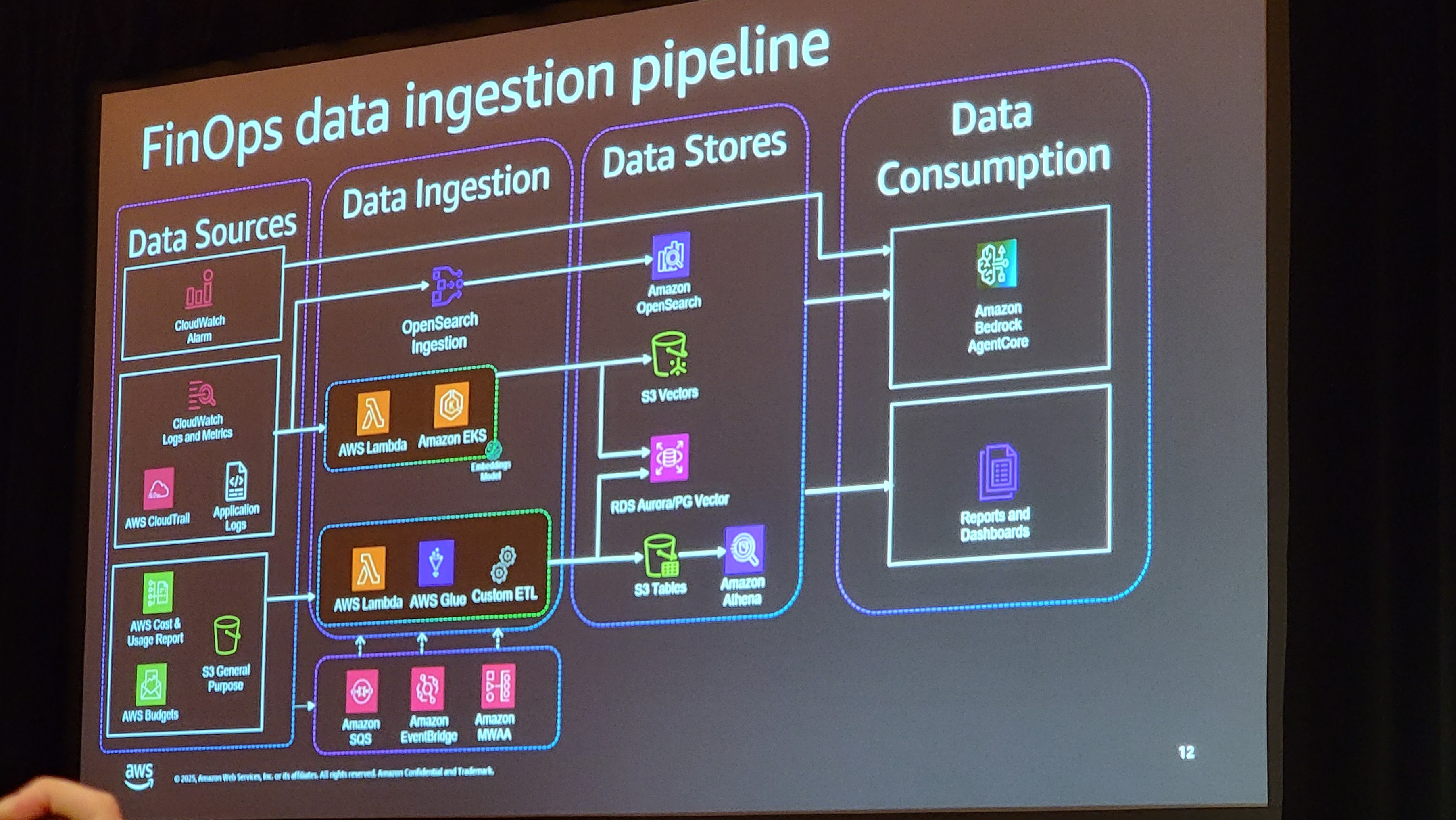
FinOps Agents Best Practices
- Agents are only as good as the data they consume. Ensure clean, real-time cloud cost data feeds (AWS CUR, Cost Explorer API, CloudWatch logs etc)
- Establish what agents can and cannot do, set spending thresholds, approval workflows, and policy boundaries upfront. Autonomous optimization requires trust built on transparent rules.
- Don’t try to automate everything. Begin with specific pain points (e.g., “eliminate zombie resources” or “optimize Reserved Instance purchases”) where ROI is measurable and quick wins build momentum.
- Agents shift FinOps from manual analysis to autonomous action. Prepare finance and engineering teams for a new operational model this is organizational change, not just a tool deployment.
- Each agent needs appropriate workload identity with scoped permissions. Make all agents full cloud account access apply principle of least privilege and permission aware tool access.
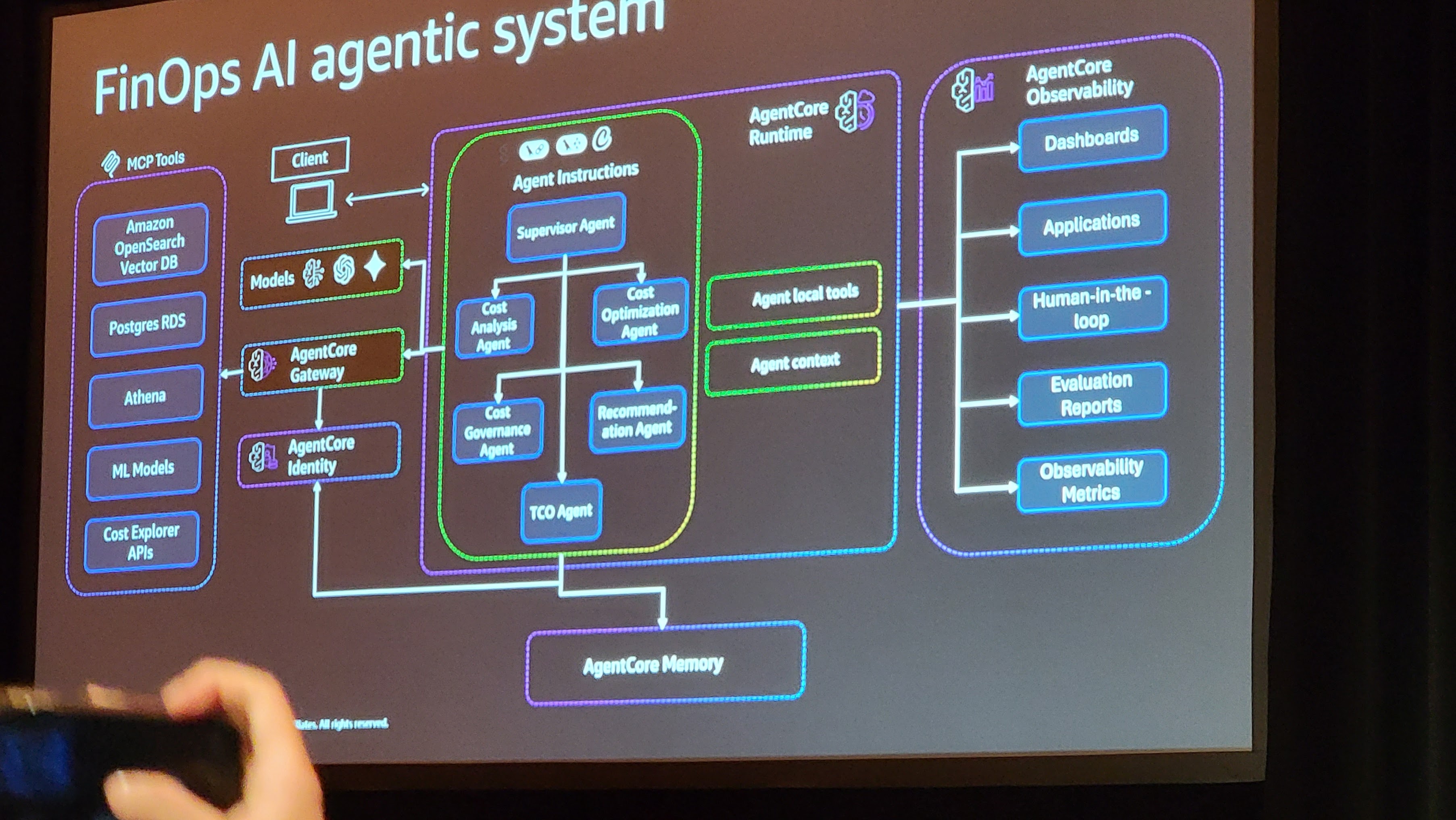
AgentCore Best Practices
- Leverage session isolation to prevent cross-tenant data leakage in multi-team environments, use asynchronous workloads for long-running cost analyses while reserving synchronous execution for real-time alerts.
- Assign workload identity to each agent with least-privilege permissions, use IAM for internal cloud access and OAuth for third-party integrations, and enable delegated authentication so agents can act on behalf of users with appropriate tokens.
- Enable OpenTelemetry logging from deployment to track all agent decisions, use CloudWatch integration for centralized monitoring across your FinOps stack, and set custom attributes and session tracking to correlate agent actions
- Leverage semantic search to surface relevant historical cost patterns and previous recommendations, enable multi-agent memory sharing so insights from Cost Analysis feed into Optimization agents
- Use MCP protocol for standardized tool access across your FinOps ecosystem, decouple tools from business logic to enable flexibility and portability, and maintain a searchable tool registry so agents can discover available resources.
Level Up Your Serverless: The Powertools for AWS Lambda Workshop (OPN404-R1 - Workshop)
The definitive Powertools for AWS Lambda workshop evolves! This refreshed session dives into advanced techniques and patterns for your Serverless workloads. Through hands-on exercises, you’ll learn to implement cost-effective observability, build failure-resilient functions and APIs - all while dramatically reducing boilerplate code. We will guide you through both established best practices and cutting-edge techniques to improve your Serverless applications’ reliability and maintainability. Choose your language (Python, JavaScript/TypeScript, .NET, or Java) for personalized learning. Whether new to Powertools or exploring advanced features, this workshop delivers immediate value for your Serverless development journey.
This was a hands on session where I took an existing application that had some issues like missing log visibility, and duplicate messages processing and used Powertools to solve them. Overall, the session was fantastic and I need to do some further exploration on the tool.
My one observation was the amount of extra code and complexity these solutions add to the existing codebase. So my one take away was use sparingly or abstract away certain parts.
I was too busy in the workshop to take any good notes, but here are some good resources for follow-up:
- Powertools for AWS Lambda
- Middy.js - The stylish Node.js middleware engine for AWS Lambda
- I personally have been using Jeremy Daly’s lambda-api for a few years now and it works great for our use-case of a single Lambda in front of API Gateway. Similar to having Express in Lambda but much more lightweight.
Debug Lambda functions deployed in cloud like never before (CNS367 - Breakout Session)
Discover AWS Lambda’s groundbreaking remote debugging capability, allowing developers to debug functions deployed in AWS cloud from local IDE for the first time. Learn how to set breakpoints, step through code line-by-line, inspect variables, and analyze call stacks in live Lambda functions. Experience practical debugging techniques for complex serverless scenarios with minimal setup and performance impact. Whether you’re new to Lambda or an experienced developer, this session will transform your debugging workflow, dramatically reducing troubleshooting time and improving development efficiency.
I’m going to be brutally honest here – this session was full of information that should not be recommended to people. Well ok … maybe if you’re working on a quick POC but not beyond that. However, let me explain…
The premise was around solving challenges deploying and testing Lambda to the cloud such as:
- Setup friction – copy/pull code, config creds, setup dependencies
- Local testing limitations – multi-service workflows, IAM setup, requires cloud deployment
- Cloud only debugging – VPC or IAM issues, unable to replicate locally
The two solutions the session offered were:
- Leverage LocalStack to mock AWS resources locally
- Deploying via your IDE via a VSCode Extension
Let’s tackle each proposed solution and why I believe they are both terrible solutions.
Leverage LocalStack to mock AWS resources locally
I personally have been burned with using LocalStack to mock resources locally and use them to run integration tests via CI/CD. It worked for us initially early on in the project but eventually started to become very brittle and would have required a lot of work to get it running again.
My recommendation is to instead focus on deploying ephemeral environments. The ability for any developer to quickly and easily spin up their own environment will always trump any locally mocked solution.
Deploying via your IDE via a VSCode Extension First off this is fine for rapid prototypes within a sandbox or dev account. But beyond that, do not use this method. I personally would not recommend using this anyway since you’re basically deploying a change in a different way than you would normally – which has the potential to introduce unpredictable changes.
As mentioned above, I would focus efforts on making deploying changes locally to the cloud as quick and easy as possible. And the key point here – it to use the same tooling locally as you do in CI/CD so the deployment process is always consistent.
Apply Amazon’s DevOps culture to your team (DVT311-R1 - Chalk-talk)
In this chalk talk, learn how Amazon helps its developers rapidly release and iterate software while maintaining industry-leading standards on security, reliability, and performance. Learn about the culture of two-pizza teams and how to maintain a culture of DevOps in a large enterprise. Also, discover how to help build such a culture at your own organization.
I really love going to chalk-talks at re:Invent. It’s usually a pretty small audience where you get to ask specific questions to the speakers. This session was exactly that – which provide some great insights into how AWS runs internally.
Rapid-fire Recap Points:
- Goal is to run like a lot of small startups
- Teams own the dependency choices – whether infra or external
- Automate everything – no manual actions like ssh into a box
- Decompose for agility – still using semi-two pizza teams
- Standardize tools - CI/CD, versioning control, ticketing
- Belts & suspenders – governance and templates
- Leverage IaC
- Continuous configuration – features flags, operational flags
Is the decision a one way door or a two way door? Can we decide and commit with the data we have now and go back later.
Internally they uses CDK templates which can be found within the internally developer portal
They have an internal load generator service that hits services continuously. Can be configured to a percentage to hit the service – like 10% for a day and ramp up
CloudFormation Guardian - open-source, general-purpose, policy-as-code evaluation tool
Conclusion
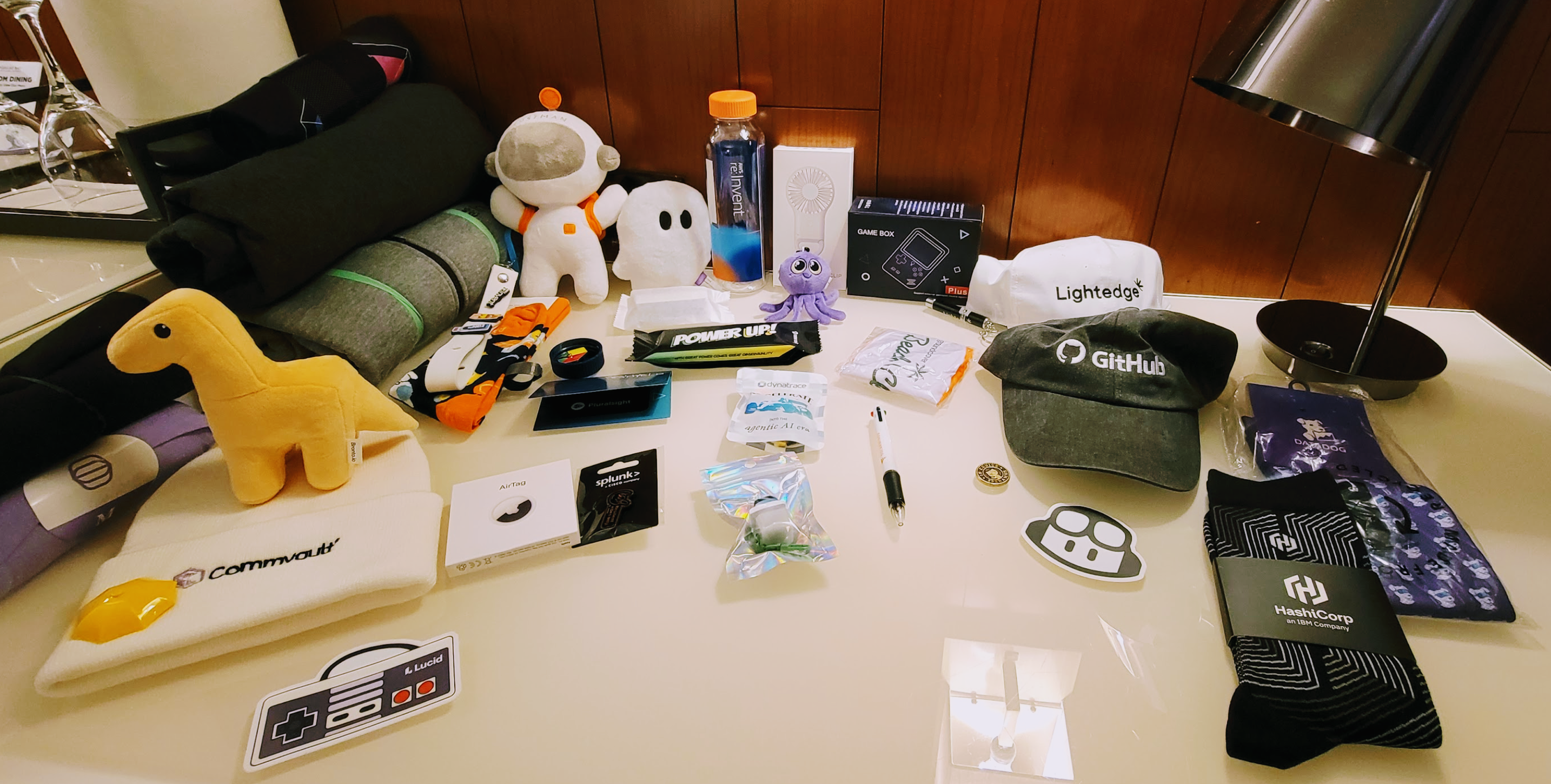
AWS re:Invent 2025 was great – as it has been every year I’ve gone. In summary, try to attend at least one year if your company allows us. Oh as a final quick tip bring an extra suite-case for all the swag. :)
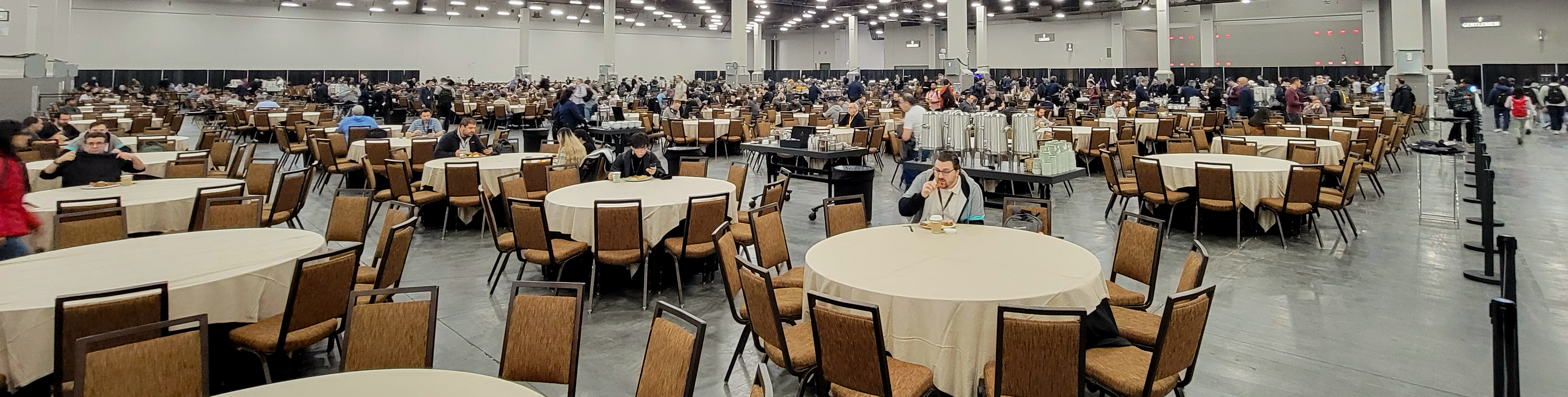
Final side note – this is the venue where all the meals were held at. The place is so huge and the food is always so good.